Working from home has become increasingly common, and having a dedicated, well-organized office space can make all the difference in maintaining productivity. Whether you’re a full-time remote worker or occasionally bring work home, setting up a productive home office helps you focus, reduces distractions, and supports your well-being. Here are practical tips to create a home office setup that works for you.
Choose the Right Location
Your home office should be in a quiet, low-traffic area of your home where you can concentrate. Avoid spaces with lots of noise or frequent interruptions. If you don’t have a spare room, consider a corner or nook that can be clearly defined as your workspace.
Consider these factors:
– Natural light: Position your desk near a window if possible. Natural light can improve mood and energy.
– Privacy: Use a room with a door or add room dividers to separate your office from living areas.
– Accessibility: Ensure your workspace is easy to reach without too much disruption to family routines.
Invest in Ergonomic Furniture
Comfort is key when you’re spending hours at your desk. Ergonomic furniture supports good posture and reduces strain, preventing discomfort and long-term health issues.
Essentials include:
– An adjustable chair: Choose a chair that supports your lower back and allows your feet to rest flat on the floor.
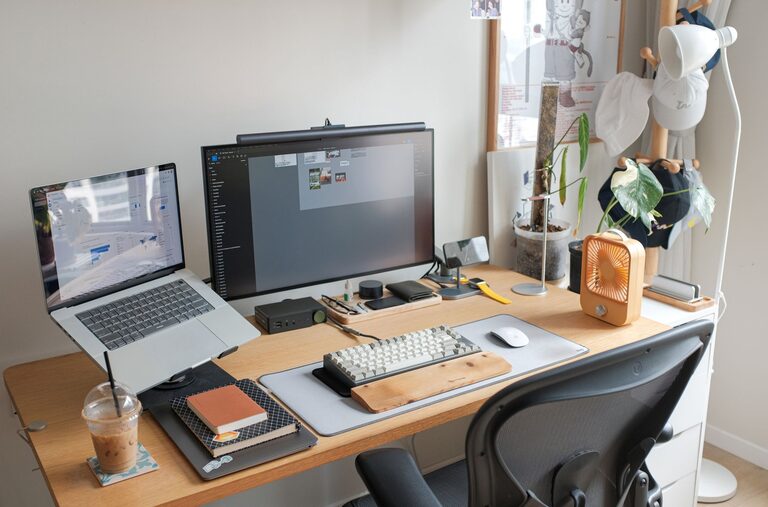
– A spacious desk: Make sure your desk has enough surface area for your computer, workspace, and any tools you use.
– Monitor stand or adjustable arm: Raise screens to eye level to avoid neck strain.
Optimize Your Technology Setup
Having the right technology tools helps you work efficiently and avoid frustration.
Key technology tips:
– Reliable internet connection: A strong Wi-Fi signal or wired connection ensures smooth video calls and fast downloads.
– Quality peripherals: Consider an external keyboard, mouse, and headset to increase comfort.
– Backup power source: A UPS or surge protector can protect your equipment and keep you working during outages.
Organize and Declutter
A tidy workspace helps reduce distractions and keeps you focused.
Tips for effective organization:
– Use storage solutions: Shelves, drawers, and organizers keep items off your desk.
– Maintain minimalism: Only keep essential items on your desk surface.
– Regularly clean: Set aside time weekly to clear clutter and wipe down surfaces.
Establish Good Lighting
Proper lighting reduces eye strain and helps you stay alert.
Lighting recommendations:
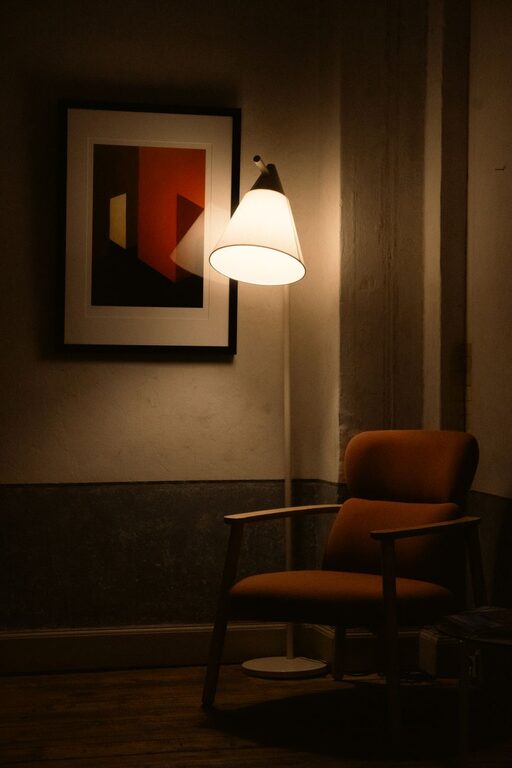
– Combine natural light with task lighting: Use a desk lamp to brighten your work area during darker hours.
– Avoid glare: Position your computer monitor away from direct light sources.
– Choose daylight bulbs: Lights with a color temperature between 5000K to 6500K mimic natural daylight and improve focus.
Personalize for Comfort and Motivation
Adding personal touches can make your workspace inviting and inspiring.
Ideas to personalize your office:
– Add plants for freshness and improved air quality.
– Hang artwork or motivational quotes.
– Use your favorite colors for decor or desk accessories.
– Play soft background music if it helps your concentration.
Set Boundaries and Maintain a Routine
Creating clear work-life boundaries helps you stay productive during work hours and unwind afterward.
Strategies include:
– Define your work schedule and stick to it.
– Use physical boundaries like closing the office door when your workday ends.
– Communicate your work hours to family or housemates.
– Take breaks away from your desk to refresh your mind.
Keep Essential Supplies Within Reach
Prepare your workspace so you don’t waste time searching for tools and materials.
Stock these basics near you:
– Notepads and pens
– Printer and paper
– Chargers and cables
– Headphones or earplugs for concentration
Maintain Good Posture and Take Breaks
Long periods of sitting can cause discomfort and fatigue.
Tips for staying comfortable:
– Use a timer to remind yourself to stand, stretch, or walk every 30 to 60 minutes.
– Practice simple stretches or quick exercises.
– Adjust your chair and monitor regularly for proper ergonomic alignment.
Evaluate and Improve Regularly
Your productivity needs may change, so revisit your home office setup periodically.
How to assess your workspace:
– Are you experiencing discomfort? Adjust furniture and equipment.
– Is your technology up to date?
– Is your space inspiring and free of distractions?
– Are your storage and organization methods working?
Making incremental improvements can help keep your workspace efficient and enjoyable.
—
Creating a productive home office setup takes thoughtful planning and attention to comfort, organization, and routine. By implementing these tips, you can build a workspace that supports focus, creativity, and balance as you work from home.
About the Author